Appointly24
Web design agency website — Lunova Design (lunova-design.co.uk).
Responsive marketing website for Pure Build (purebuild.uk).
Explore the Functional Skills App
Functional Skills App: Elevate Your Grammar & Spelling
In today’s fast-paced digital world, mastering grammar and spelling is more important than ever. The Functional Skills App is a revolutionary tool designed to sharpen your language proficiency through engaging AI-driven challenges. Whether you’re a student, a professional, or someone looking to refine their English skills, this app provides an interactive and structured approach to learning.
With a sleek and user-friendly interface, the app immerses you in spelling and grammar challenges that go beyond traditional learning methods. It incorporates AI-generated sentences with audio prompts, ensuring an engaging and practical learning experience. Unlike standard text input fields, the app employs a custom keyboard to prevent autofill, guaranteeing that every answer is manually typed—enhancing memory retention and accuracy.
The future of this app is bright, with plans to integrate more advanced AI models, personalized learning paths, and adaptive difficulty levels that adjust based on user performance. By blending cutting-edge technology with effective educational principles, the Functional Skills App is set to become a must-have tool for learners worldwide.
App Overview
App interface showing a grammar challenge
This innovative app is designed to boost your grammar skills by presenting AI-generated sentences paired with audio challenges. Listen to the sentence and type the highlighted word using a custom keyboard that prevents autofill, ensuring a true manual input experience.
User Authentication
Login screen of the Functional Skills App
Upon launch, you are greeted with a sleek login screen. Sign in effortlessly using your Google account on both web and Android platforms. Firebase securely handles authentication, while your progress is tracked in a dedicated database.
App Overview
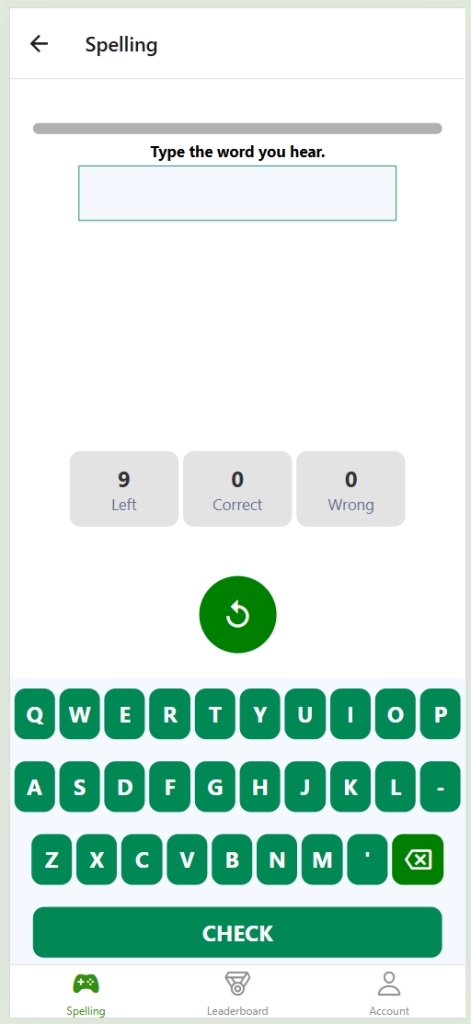
This innovative app is designed to boost your grammar skills by presenting AI-generated sentences paired with audio challenges. Listen to the sentence and type the highlighted word using a custom keyboard that prevents autofill, ensuring a true manual input experience.
User Authentication
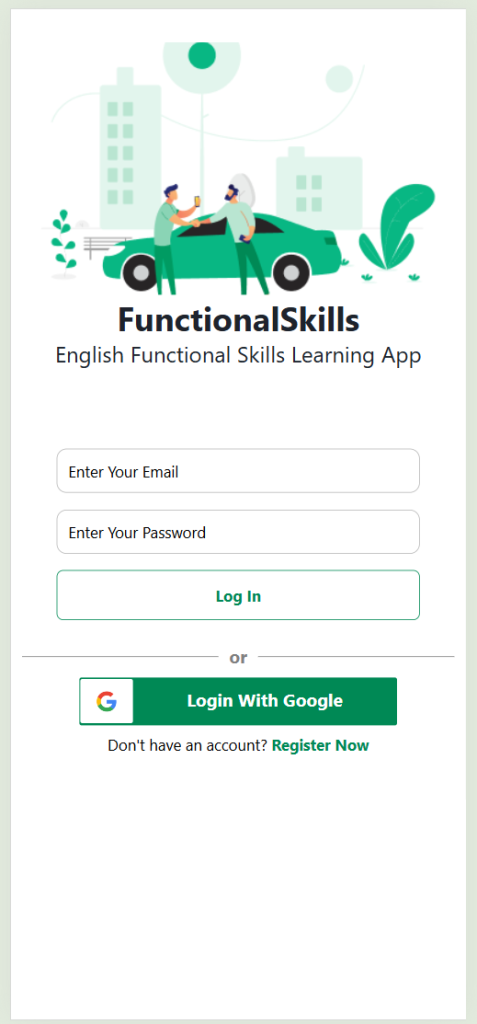
Upon launch, you are greeted with a sleek login screen. Sign in effortlessly using your Google account on both web and Android platforms. Firebase securely handles authentication, while your progress is tracked in a dedicated database.
Account Creation

Prefer a manual sign-up? Create your own account with ease—no email verification required—allowing you to quickly track your progress throughout the app demonstration.
Spelling Challenges
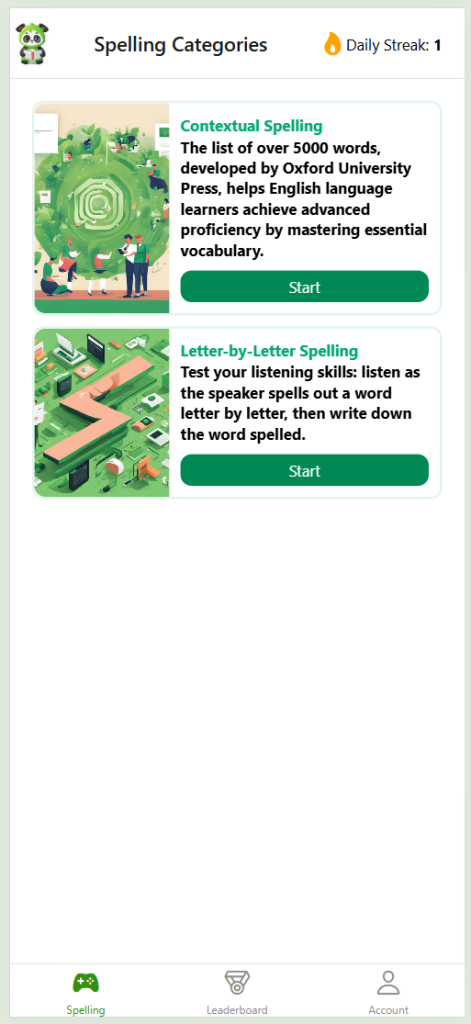
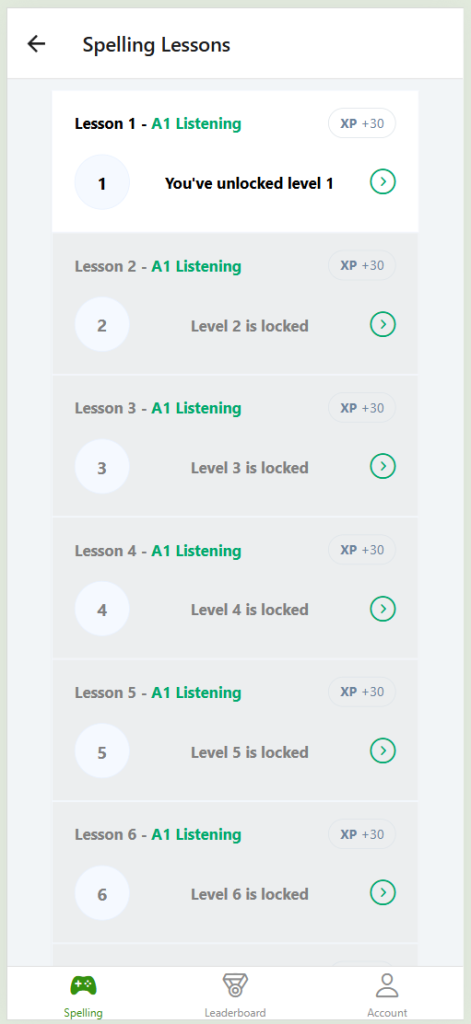
The app features two distinct spelling modes: letter-by-letter and sentence-based. These modes are specifically designed to address common challenges faced by English learners, ensuring consistent daily practice for improved spelling accuracy.
Difficulty Levels
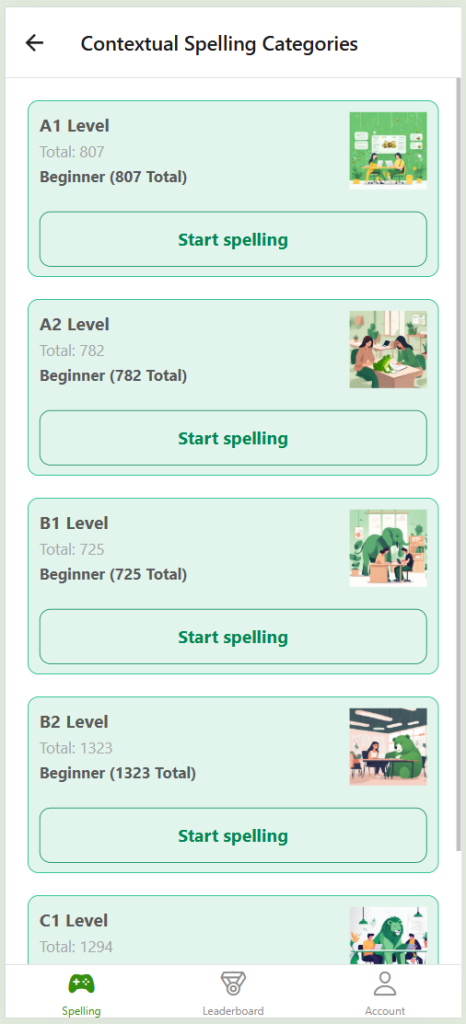
Spelling challenges are organized into difficulty levels (A, B, and C) based on the Oxford 5000 word list. This categorization ensures a structured and progressive learning experience.
Technical Insights
Beyond enhancing your grammar, this project serves as a practical demonstration of modern web development techniques, including React and API integration, offering valuable insights for developers.
WordPress Theme Development Progress
best-home-decor.co.uk
WordPress Theme Development: Progress & Innovations
Developing a WordPress theme from scratch is both an exciting and challenging process. The project for best-home-decor.co.uk is evolving rapidly, integrating modern web development practices to ensure a fast, responsive, and visually appealing experience.
This theme is built with efficiency and scalability in mind, leveraging a structured development approach that includes the singleton design pattern, autoloaders, and namespaces. These techniques not only improve maintainability but also ensure a modular and organized codebase.
Future updates will focus on optimizing performance, refining the user interface, and incorporating more interactive elements, making this WordPress theme a benchmark for speed and usability.
Initial Design Setup
Starting with the blog page design
The first phase of development involved implementing the fundamental design aspects of the blog page, following the structure outlined in the Figma design.
Progress 1.0: Icons and Logo
Incorporating design elements
This phase introduced icons from the Google Fonts library, alongside setting up a distinct logo that blends seamlessly with the overall theme design.
Initial Design Setup
Start by implementing the basic design for the blog page, as outlined in the Figma design.
Progress 1.0: Adding Icons and Logo
Incorporate icons from the Google Fonts library and set the background and text to create a distinctive logo.
Progress 1.1: Mobile Menu Responsiveness
Overview
In this release (version 1.1), I’ve implemented a responsive mobile menu that seamlessly adapts to both mobile and desktop versions of the website. The mobile menu is designed to either automatically enable on smaller screens or trigger when the screen size exceeds 1000px.
Features
- Mobile Menu Responsiveness: The mobile menu is optimized for a smooth user experience on various devices, ensuring functionality on both mobile and desktop platforms.
Preview
Progress 1.2 Update
In this update (Progress 1.2), I’ve incorporated WordPress theme files into the primary project folder named ‘speed.’ The theme is built using the singleton design pattern, featuring an autoloader and namespaces.
Design Pattern:
- Singleton
- Autoloader
- Namespaces
Progress 1.3 Update
In the recent update, I’ve implemented several significant changes:
- Introduction of Simple API: The project now features a straightforward API that sends me information when someone clicks on a link.
- CSS Styling for Blog Posts: The styling for blog posts is now completed. Post content is automatically generated from my database using a custom script, avoiding the use of WordPress.
- Speed Score: The current Speed Score results look promising.
Progress 1.4: Single Product, Product Archive, My Account
Note: There are some bugs in the mobile version images because the Chrome plugin to capture scrolled pages has some issues, but you can see that the design is fully responsive.
Single Product
Additionally, there is a slider for images made in pure TypeScript without any other libraries. You can use arrows to slide left/right, but on mobile, you can also use touch. There is a zoom button that makes the image full-size on your screen except for 3rem on the top for navigation.
Desktop:
Product Archive
Desktop:
My Account
Desktop:
My Account / Edit Address
Desktop:
Progress 1.4: Cart
Desktop:
Mobile:
Progress 1.5: Navigation update (Basket, Search)
Live Preview: Click Here
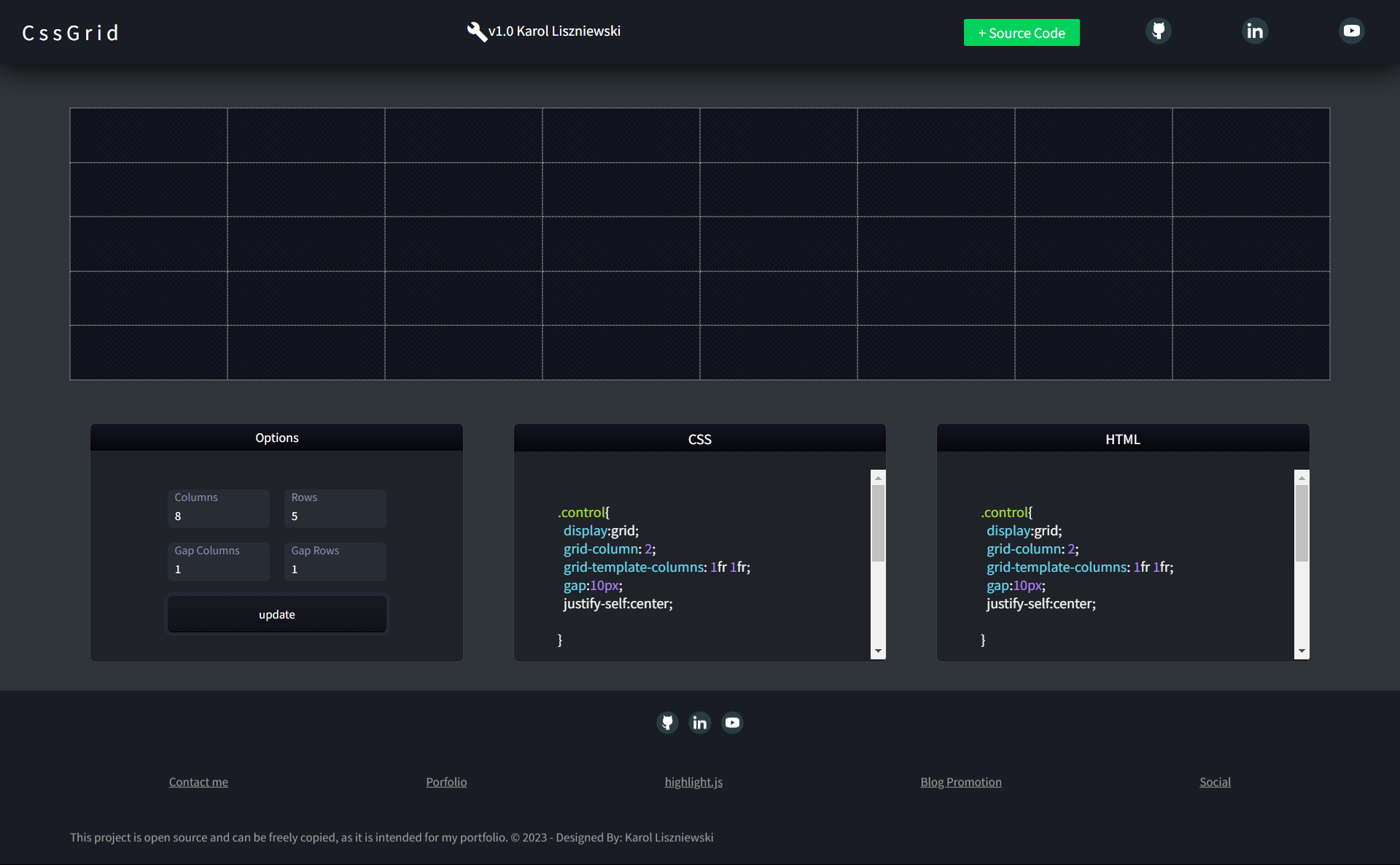
This Git repository contains a CSS Grid Generator built using pure HTML, CSS, and Vanilla JavaScript. It allows users to easily create and customize CSS Grid layouts. Additionally, Syntax highlighting from highlightjs.org is used to highlight code on the page.
Version 1.0
In version 1.0, it is possible to enable a grid that will generate CSS and HTML code. However, currently, the selected elements are not saved anywhere and the code is not generated.
Features
The code features a grid generator placed in the GridGenerator class, which includes several methods.
- initializeSelectionCoordinates: Takes information on the row and column from which the grid selection should start and end.
- getMinMaxValues: Allows for placing these values in a loop for dynamic selection of elements as the mouse is moved while holding down the mouse button.
- selectGridArea: Contains a loop that adds the selected class to the selected children of the container.
- updateColumnsAndRows: Allows the user to change the number of columns and rows.
- clearLiveSelection: Removes the selected class from the container children, so only the currently selected elements are highlighted.
Change Log v1.1
- Fixed: Centered the information in the footer.
- Fixed: Corrected BEM (Block Element Modifier) convention mistakes.
- Added: Class SelectionHistory and variable historyArray.
Version 1.2
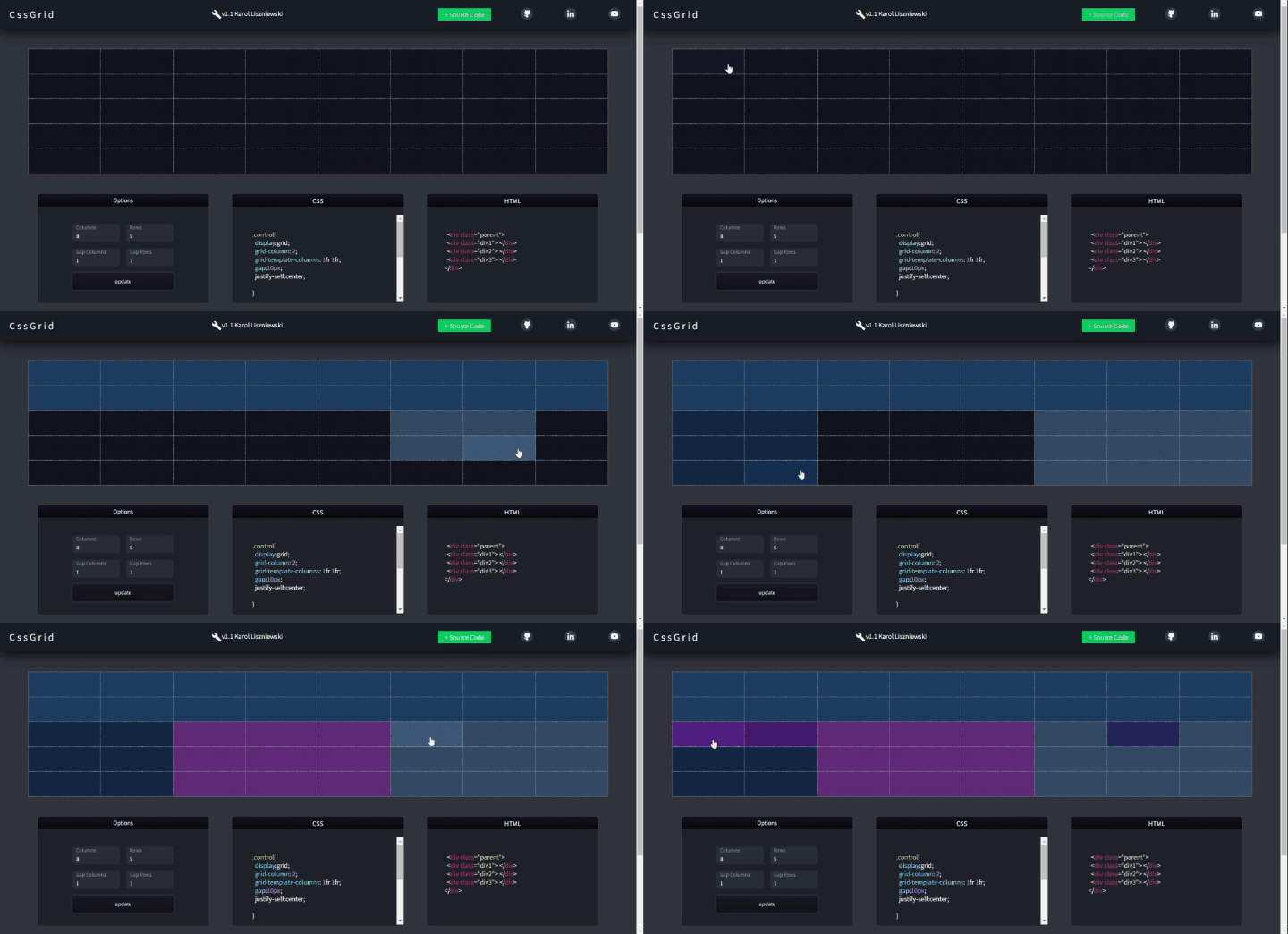
In version 1.2, I added the ability to select multiple fields consecutively, blend colors of those fields, and introduce a dynamic highlighting effect.
Change Log v1.2
- Added: New class for color sequence and saved selection colors.
- Updated: selectGridArea now includes three parameters for improved functionality.
Version 1.3
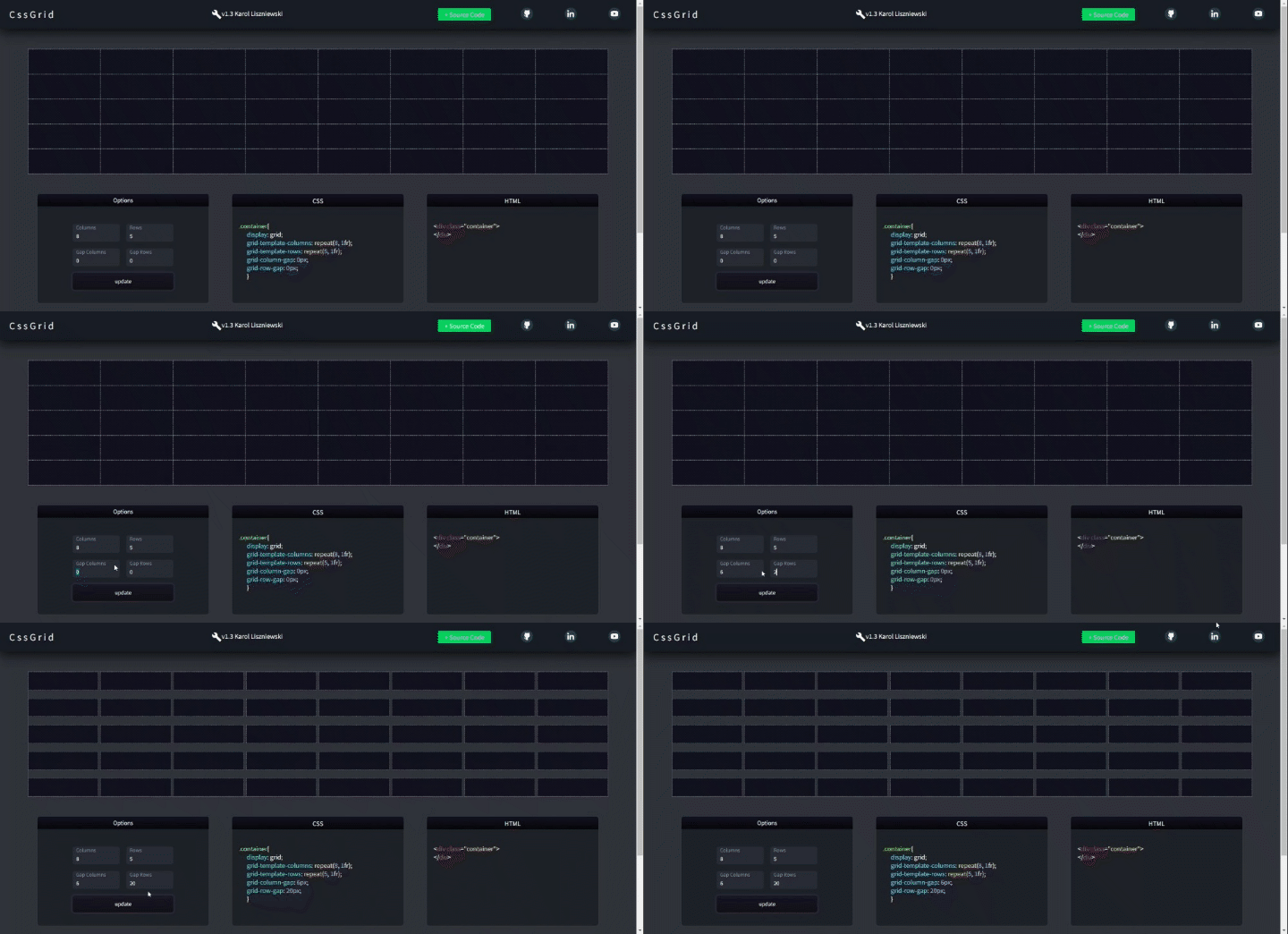
The CSS and HTML code is now dynamically generated on the mouseup event.
Change Log v1.3
- Fixed: Gaps now work properly.
- Added: New class CodeGenerator for generating HTML and CSS code.
Version 1.4
Fixed a bug where modifying rows, columns, or gaps after selection would crash the generator.
Change Log v1.4
- Fixed: Generator now clears all data upon each update to prevent errors.